

Microsoft Ads integration
Track click ID
- In your Microsoft administration page, select "Campaigns"
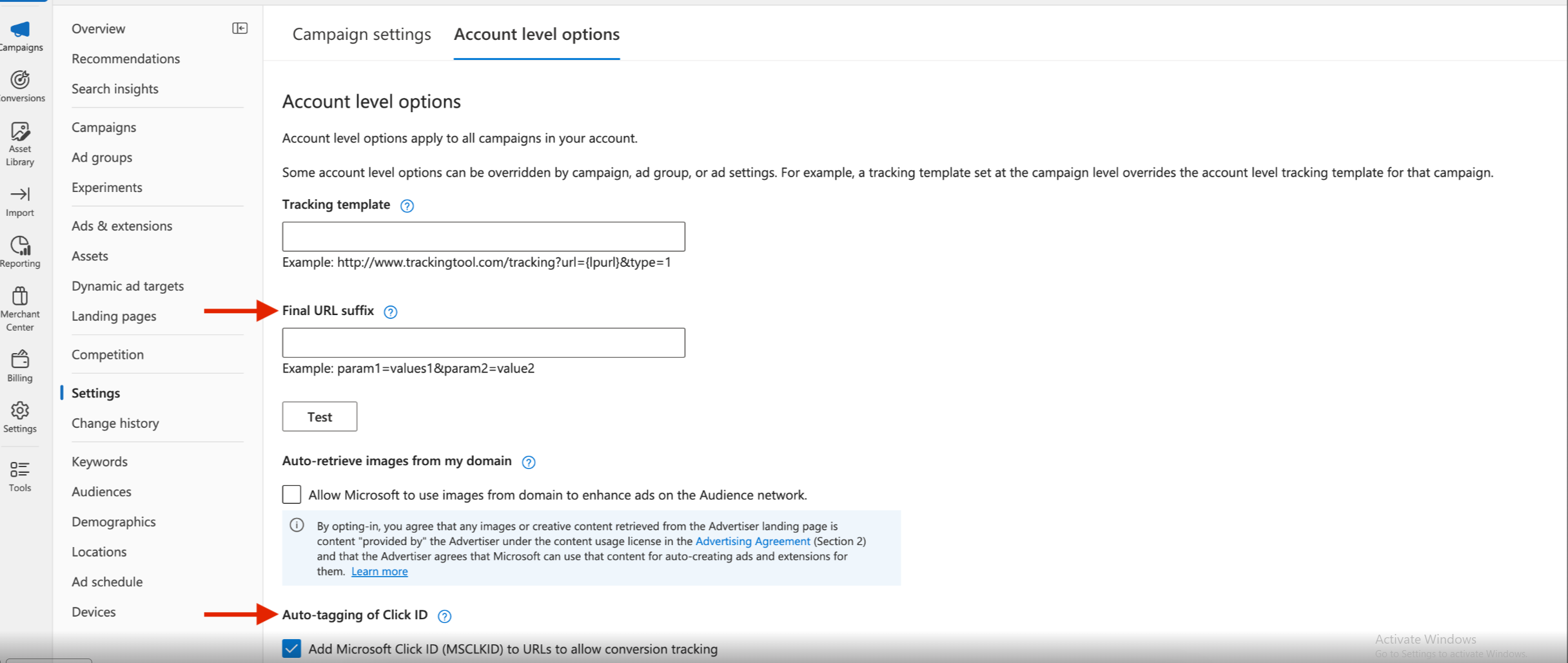
- Access the tab "Account level options"
- Scroll down under "Auto-tagging of Click ID" and check the box "Microsoft Click ID (MSCLKID) to URLs to allow conversion tracking"
Tracking parameters
- In your Microsoft administration page, select "Campaigns"
- Access the tab "Account level options"
- Under "Final URL suffix" add the following text:
dd=1&ddsrc=ms&ddcmp={Campaign}&ddcmpid={CampaignId}&ddkw={keyword:default}&dddv={Device}&ddnw={Network}&ddag={AdGroup}&ddmt={MatchType}
Updated 11 months ago
Did this page help you?