

Metrics
This page gives you a real-time and historical view of a specific waiting room. It is accessible by clicking on any waiting room (active or completed) from the main waiting rooms list.
Overview
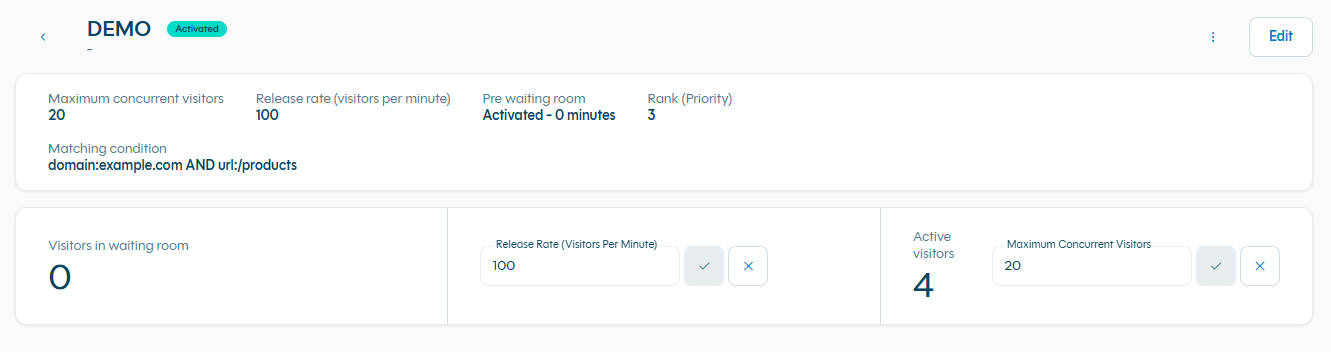
The Monitoring Dashboard shows how your waiting room is performing during and after an event. You can instantly see:
- Key configuration settings and update them in real time
- Live visitor traffic
- Historical timeline of the waiting room
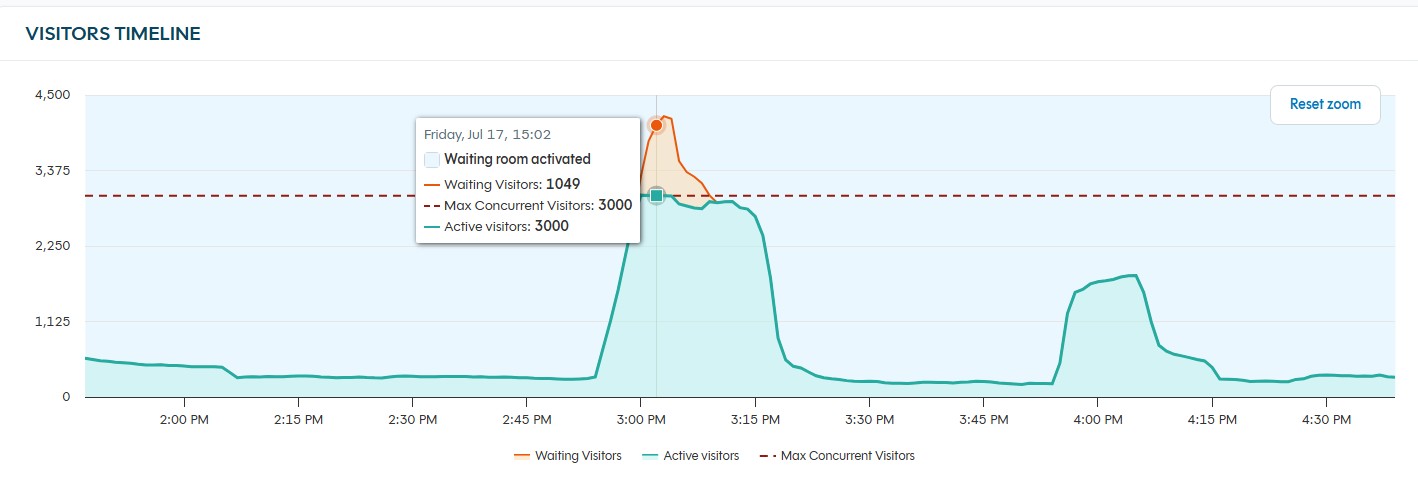
Visitors Timeline Graph
The main chart displays the full history of the waiting room in one view (stacked area).
Three lines are shown:
- Active visitors (Green line) — number of real visitors currently on your site.
- Waiting visitors (orange line) — number of people currently waiting.
- Max Concurrent Visitors (dashed red line) — the configured threshold.
The graph automatically updates in real time every minutes. You can zoom, hover for exact values, or scroll to see the full history.
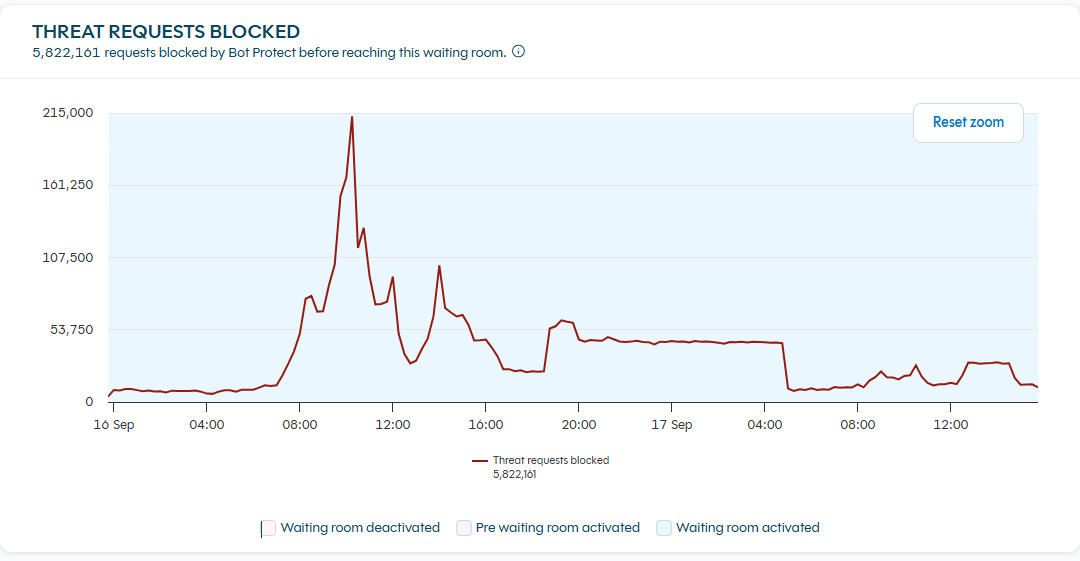
Threat Requests Blocked Graph
This chart shows the requests blocked by Bot Protect that matched this waiting room.
Blocked requests never reach the waiting room: they don't take a place in the queue and don't count toward your capacity or admission rate.
Counted in requests, not visitors
Bots typically open a new session on each request, so requests are the most reliable unit for this traffic. These numbers can't be compared directly with the visitor counts in the Visitors Timeline Graph.
Only requests on endpoints where Bot Protect protection is enabled are counted. To investigate this traffic in detail, use Explore.
Updated 15 days ago