

Threats Detection
Review and manage the detection models DataDome uses to protect your applications from malicious traffic.
Review and manage the detection models DataDome uses to identify and protect against malicious traffic, including model policies, deactivation, updates, and detection categories.
1. Overview
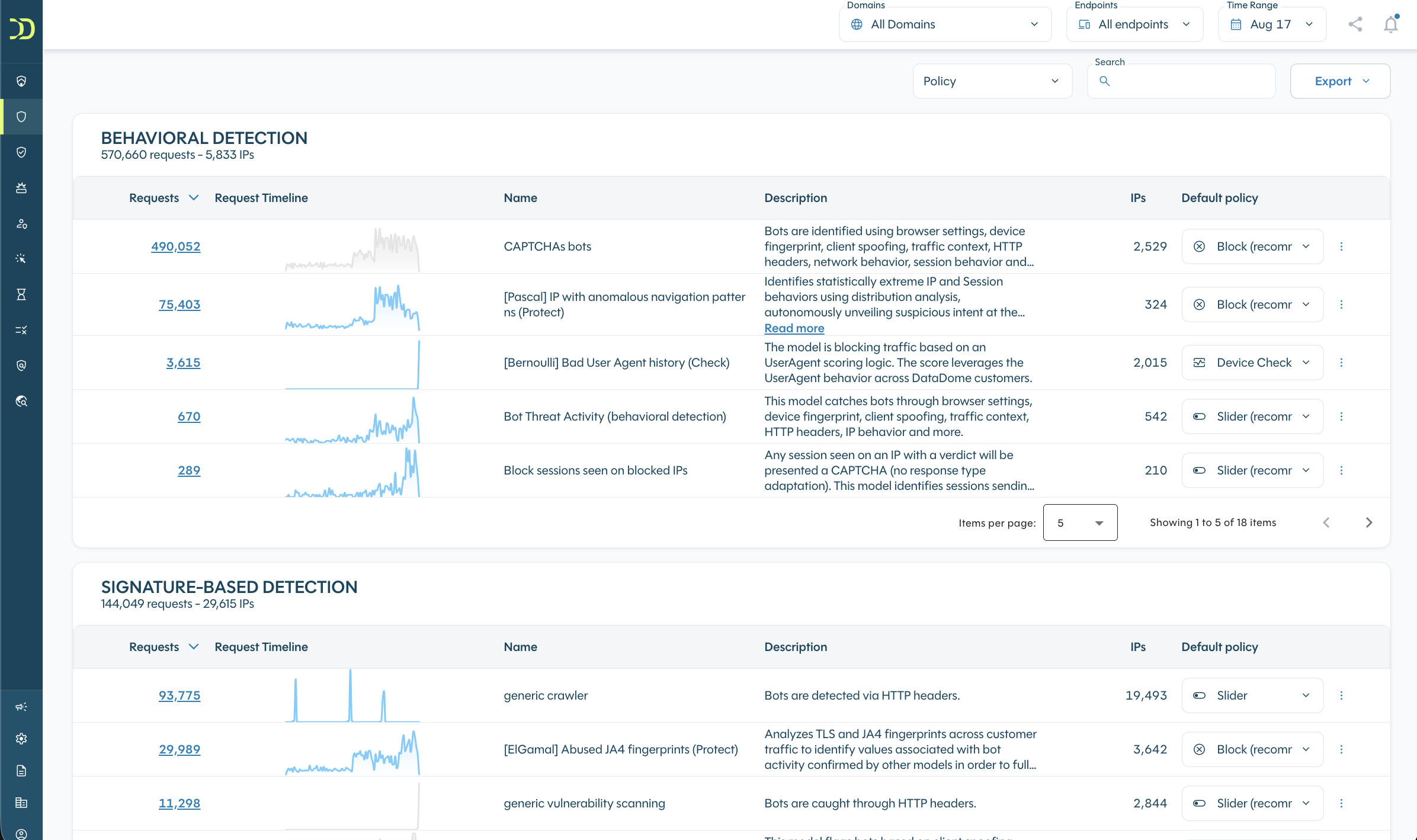
DataDome threat detection models use machine learning techniques and are continuously updated.
The models are grouped into four categories:
- Signature-Based detection
Detects malicious traffic using static or dynamically generated signatures. These signatures may use fingerprinting techniques such as TLS fingerprints, browser fingerprints, and HTTP headers. - Behavioral detection
Detects abnormal or aggressive behavior that is not associated with human activity, such as repeated login attempts. - Reputational detection
Detects threats based on the reputation of the source IP address. An IP address may have been recently associated with malicious activity or identified as a data center or residential proxy by DataDome machine learning models. Because IP addresses can be shared, DataDome combines IP reputation with other criteria for more precise detection. - Vulnerability Scanner detection
Detects threats that systematically identify and examine predictable content locations, paths, file names, and parameters to find weaknesses and potential security vulnerabilities.
2. Specific and general models
Some models are designed for specific contexts and only apply to endpoints handling particular types of traffic, such as:
- Login
- Account creation
- Add to cart
- Forms
- Payment
- Agentic protocols
- API
Other models are generic and apply to all endpoints.
For this reason, carefully define your endpoints when setting up DataDome account.
3. Manage models
Set models policy
You can view the list of models and manage the policy associated with each one. A policy defines the response applied when a model detects a threat.
For AI Threats Detection models, the available policies are:
- Device Check
- Slider
- Block
DataDome displays the recommended default policy for each model.
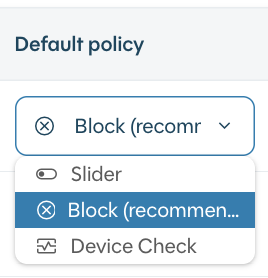
For some models, changing the policy is not allowed because doing so could reduce DataDome’s effectiveness in protecting against threats. In this case, if a model’s policy is not suitable for your needs, you can deactivate the model instead.
Allow policyThe Allow policy is not supported for Threats Detection models, please use the deactivation feature instead.
Learn more about policies and responses.
Activate and deactivate models
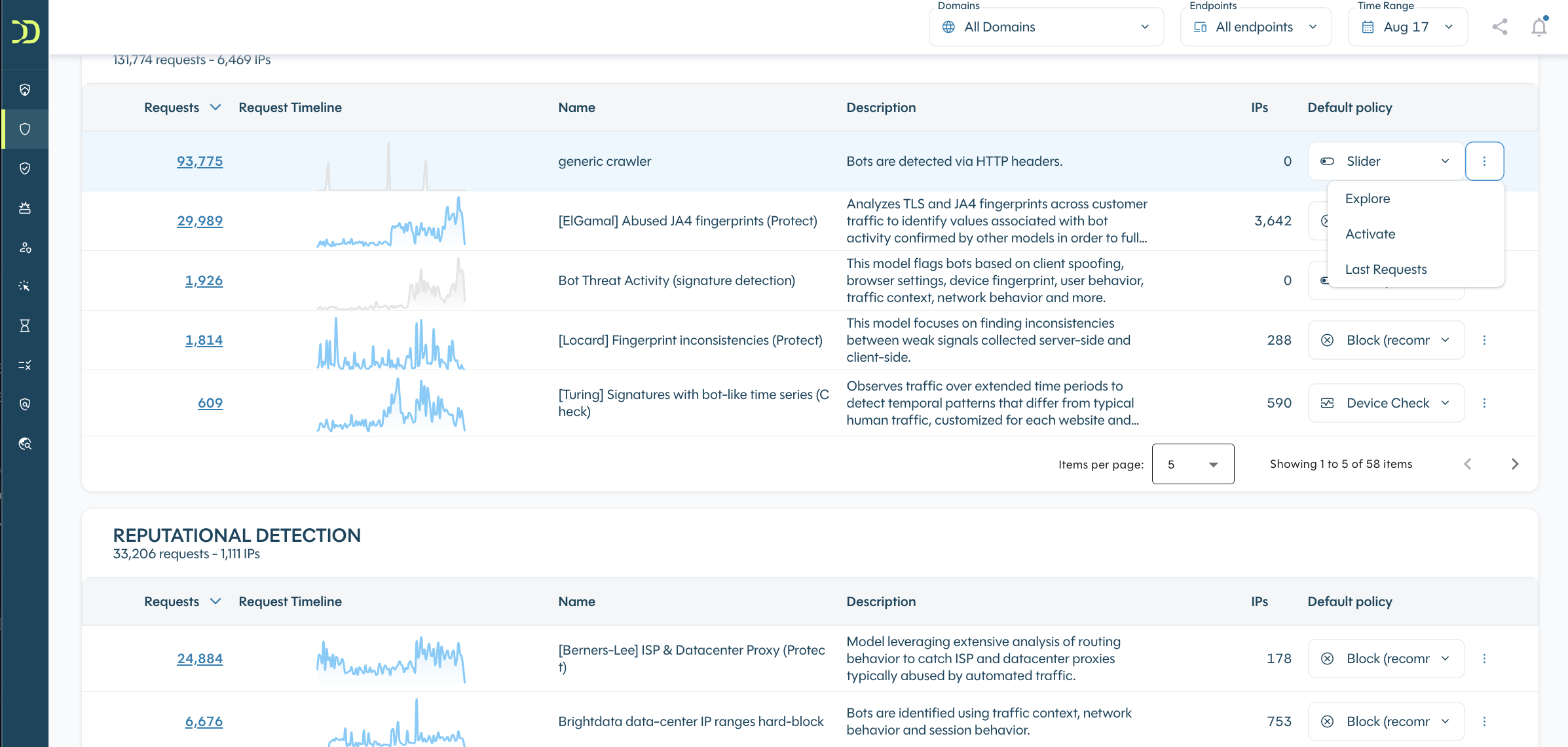
You can deactivate or activate any model from the model list.
After deactivating a model, you can still access the latest requests that matched it from the menu. You can activate the model again at any time.
Before activating a model, you can preview the traffic that would be matched using the "Explore" menu option.
Deactivated modelsWhen a model is deactivated, it no longer matches traffic based on its associated criteria, and its corresponding policy is deactivated. Other models continue to monitor the traffic.
4. Detection model updates
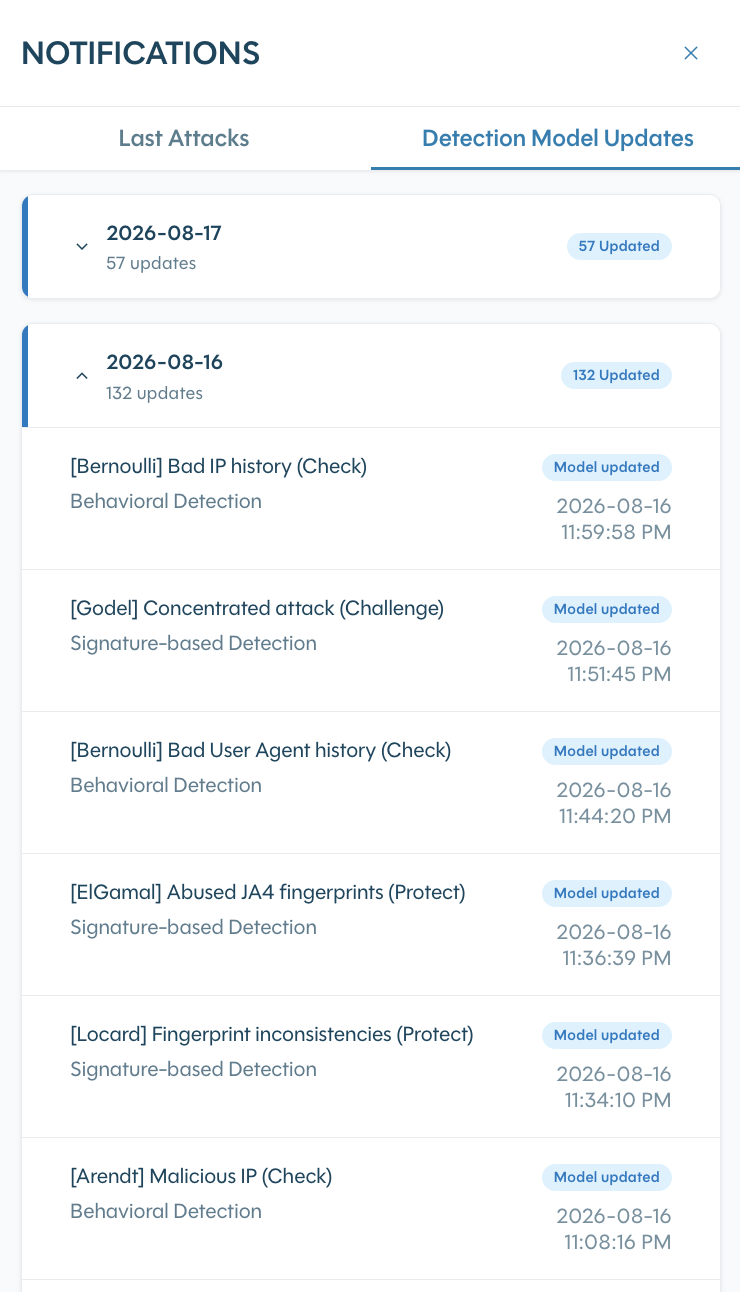
The Detection Model Updates tab in the notifications sidebar provides a dated history of changes to detection models, including models that were updated, deleted, or created. Only changes relevant to your traffic are reported.
Use this history to:
- identify when a detection change was deployed;
- understand what part of the detection logic was updated;
- correlate detection changes with traffic and matched rules in Explore.
5. Detection model definitions
Signature-Based detection
UserAgent Library
Bots using the popular UserAgent Library.
Fake Browsers and Fake Browser Login
Bots that modified their user-agent as well as other HTTP headers to appear human/like a legitimate human browser.
UserAgent Crawler
Bots using the popular UserAgent Crawler.
Inconsistent HTTP headers
Bots that improperly forged their HTTP headers.
Headless Browser Forged Fingerprint
Headless browsers (Chrome/Firefox/Safari) instrumented with frameworks such as Puppeteer/Selenium/Playwright that modified their browser fingerprint to try to appear human.
UserAgent Browser Automation
Bots using the popular UserAgent Browser Automation.
Puppeteer Extra Stealth
Bots based on (Headless) Chrome and instrumented with the Puppeteer Extra Stealth plugin
Scraping (signature detection)
Scrapers detected because they have an inconsistent browser fingerprint.
UserAgent linux command
Bots using the popular UserAgent Library.
SaasCrawlers
Bot signature that are linked to Scraping SaaS/ Bot as a service
Reputational detection
Bad IP reputation (data center IPs)
Bots that operate from data center IPs that were recently flagged as malicious by DataDome’s detection engine.
Bad IP reputation
Bots that operate from IP addresses with a bad reputation.
Residential proxies
Bots that route their traffic through residential proxies.
Free proxies IPs
Bots that route their traffic through free proxies (proxies freely listed on the Internet)
Shared data center proxies
Bots that route their traffic through IPs that have been identified as data center proxies.
Updated 3 months ago